KindleFill
A Kindle that cannot download an over-the-air update cannot be updated out from under you. KindleFill fills the storage until there is nowhere for the download to land — and clears the filler again when you are done.
No. 01 · What it does
Fill, then stop
Hold the update.
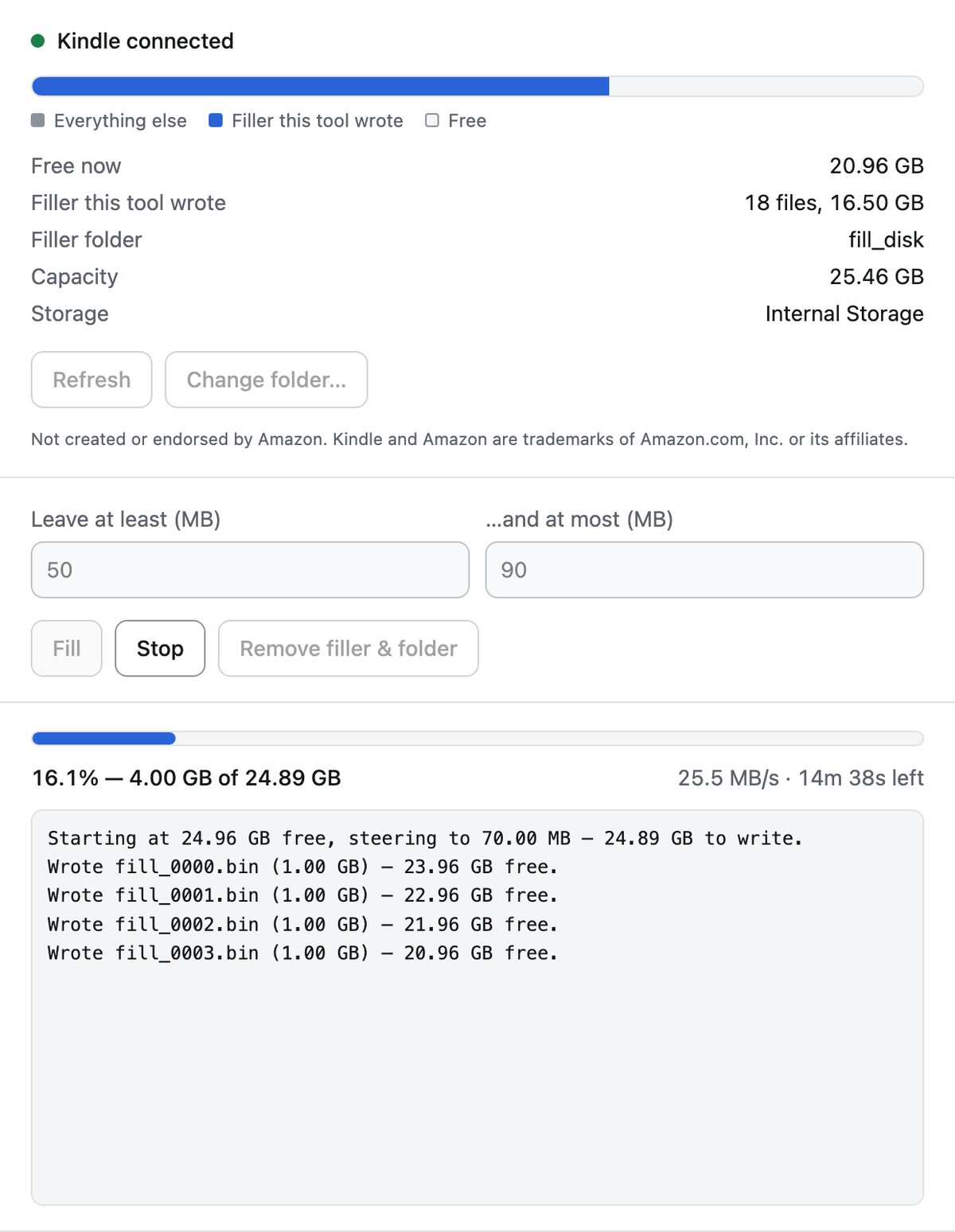
Plug in the Kindle and unlock it. KindleFill reads the capacity and the free space, shows how much of the device is already filler it wrote, and estimates the transfer before you commit to it — a full fill on a 32 GB Kindle runs about seventeen minutes.
Stop responds in about a second, not at the end of the current file. The half-written object is deleted, everything already committed stays valid, and pressing Fill again resumes from where it stopped rather than starting over.
Before it begins it tells you three things, because each one costs you those seventeen minutes if you find out afterwards: the name of the folder the filler goes in, whether that folder already holds anything that isn't ours, and whether a firmware update has already been downloaded to the device.
Filling the storage stops the download. Airplane Mode stops the check — turn that on too.
No. 02 · What it deletes
Only what it wrote
Everything else is opt-in, by name.
By default
Only files it can prove it wrote — names matching its own filler pattern exactly — plus the filler folder itself, and only if nothing else was left in it. A book you dropped in that folder survives, and so does the folder holding it.
Overwrite
Empties the filler folder whatever is in it, and you have to ask for it. The confirmation is bound to a digest of the exact listing you were shown, so a yes given for one folder cannot be spent on another's contents — or on the same folder after it changed.
Delete staged update
Removes a downloaded firmware image from the storage root, again only if you ask. The name has to clear three independent gates: root-level, the right shape, and present in the list you confirmed.
No. 03 · Where it runs
Honestly, one platform
Compiling is not the same as working.
macOS
Apple silicon is the platform KindleFill is built, released and validated on. It is the only one where the thing has been run against a real device.
Windows
It compiles and its tests pass in CI, but those tests drive a virtual device and exercise none of the code a real Kindle uses on Windows. Nobody has yet held a Kindle against a Windows build. Treat it as compiled, not supported.
Linux
Compiles, untested. Volume detection and the MTP path are both written, and no Linux machine has ever run this. A report either way is a contribution.
The hardware is one device deep as well: KindleFill is validated against a Kindle Paperwhite Signature Edition. Other models should work and none have been tried. If you run it against different hardware, an issue saying what happened — good or bad — is the most useful thing you could send.
Not created or endorsed by Amazon. Kindle is a trademark of Amazon.com, Inc. or its affiliates.